Download AXMedia

Download AXMedia for macOS and Windows. Join the macOS public beta on Apple TestFlight or download the Windows installer directly.

macOS Beta

Apple Silicon (M1-M5) & Intel

Native macOS application optimized for Apple Silicon (M1-M5) and Intel Core processors. Distributed via Apple TestFlight.

Join Beta on Apple TestFlight
Version
1.0.0 (Beta)
Channel
Apple TestFlight Public Beta
System requirements
macOS 13.0 (Ventura or later)
Privacy
100% Local Processing

Windows

Windows 10 & 11 (64-bit)

Native Windows 64-bit desktop application for Windows 10 and 11. Available via direct MSI download or Microsoft Store.

Version
1.0.0 (Beta)
Distribution
Direct MSI & Store
System requirements
Windows 10 / 11 (64-bit)
Privacy
100% Local Processing

Installation guide

1

macOS: Click 'Join Beta on Apple TestFlight' to open your invitation. Follow the prompt in the Apple TestFlight app to install AXMedia Beta.

2

Windows (Direct MSI): Download the .EXE installer package from the button above, run setup, and launch AXMedia from the Start Menu.

3

Windows (Store): Click 'Get from Microsoft Store' to install directly through the official Windows Store app.

4

Open AXMedia, select your source photo/video folder, configure your rules, and start organizing!

Native, Secure Architecture

AXMedia requires zero kernel drivers or third-party background daemons. It runs entirely in user space with minimal system privileges.

1. Apple Silicon & Intel Native

Compiled as a high-performance Universal binary for macOS, optimized for Apple Silicon (M1-M5) and Intel Macs.

2. Windows 10 & 11 Optimized

Fully compatible with 64-bit Windows 10 and Windows 11 editions, utilizing modern native system APIs.

Both editions operate 100% offline, launch instantly, and run with zero telemetry or background tracking.

App Interface

Application Screens & Features

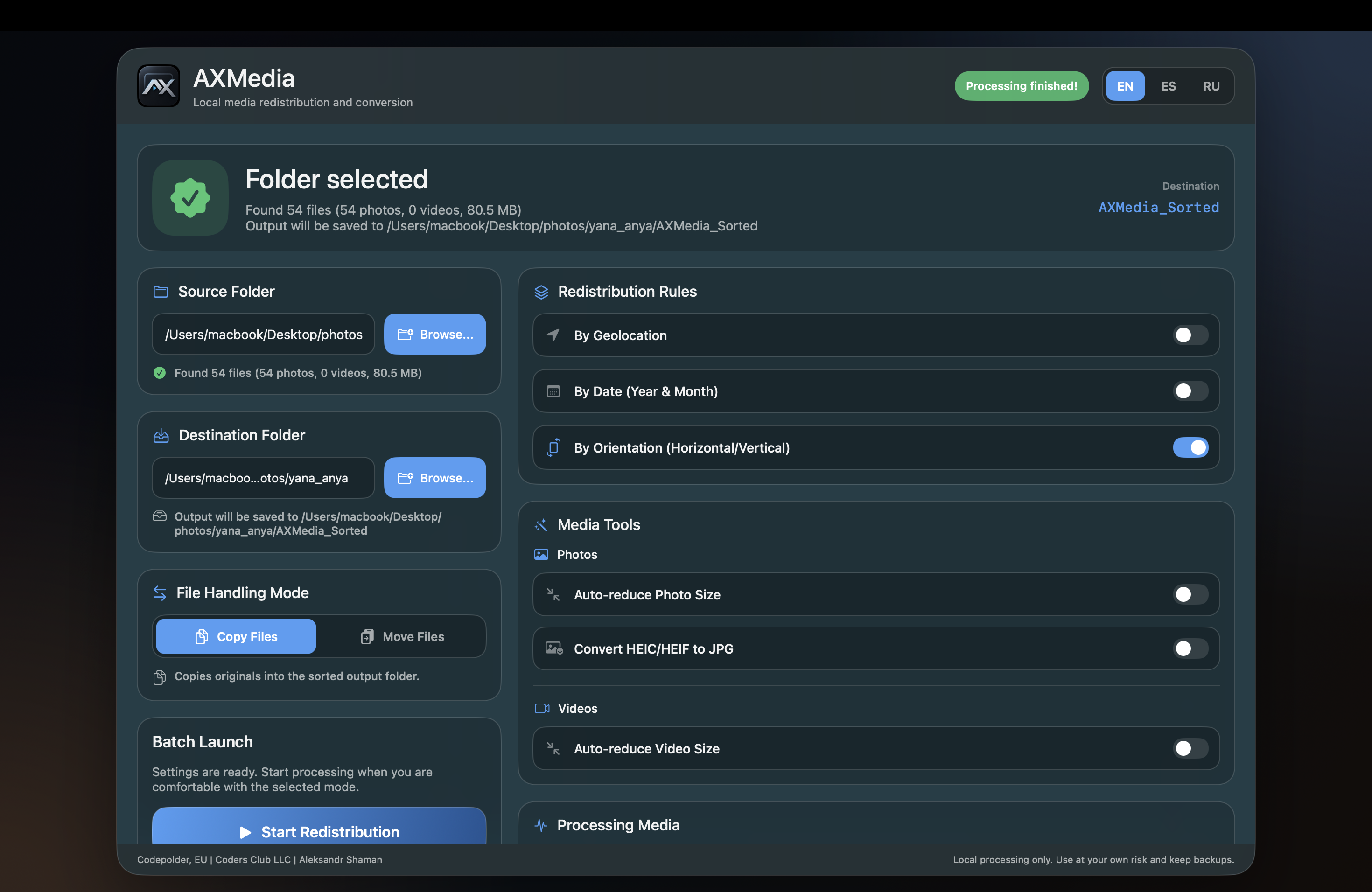
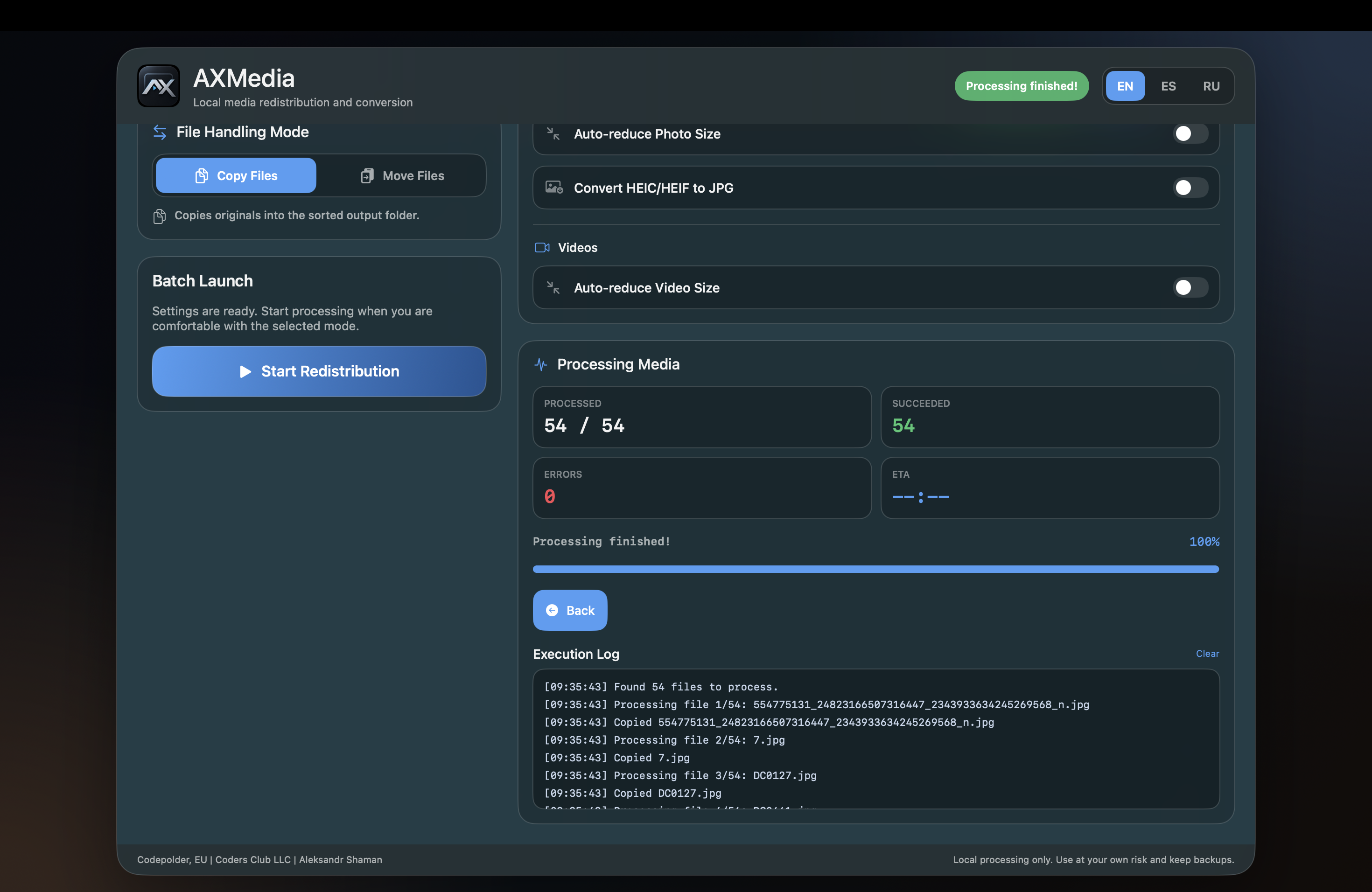
Intuitive, high-performance desktop interface for macOS and Windows. Configure redistribution rules, convert media formats, and watch real-time batch progress.

AXMedia — Redistribution & Tools
AXMedia screenshot: Folder selection, redistribution rules (geolocation, date, orientation), and media tools
Click to zoom
Setup & Rules

Media Redistribution Rules & Optimization Tools: Choose source and destination folders with real-time file detection. Toggle smart redistribution rules: by Geolocation (GPS EXIF), by Date (Year & Month), and by Orientation (Horizontal vs Vertical). Enable media tools: auto-reduce photo and video size, and convert Apple HEIC/HEIF photos to high-compatibility JPEG with one click.

Release notes (version 1.0.0 Beta)

  • Initial public beta release of AXMedia for macOS (TestFlight) and Windows (MSI & Store).
  • Smart Redistribution Engine: By Geolocation (GPS EXIF), By Date (Year & Month), and By Orientation (Horizontal vs Vertical).
  • Media Conversion Tools: High-fidelity HEIC/HEIF to JPG conversion with full EXIF preservation.
  • Auto-reduction tools: Smart photo and video size optimization.
  • File handling flexibility: Non-destructive Copy Files mode and fast Move Files mode.
  • Real-time execution dashboard: File counter, success metrics, error tracking, progress bar, and timestamped console log.